
How to Generate an SSL/TLS Certificate for Your Domain in miHosting
Learn how to check ACME, request an SSL/TLS certificate from the miHosting control panel, and confirm that it was issued and will renew automatically.
In this article
This tutorial shows you how to request an SSL/TLS certificate from the miHosting control panel and check that it was issued correctly. The certificate encrypts HTTPS connections between your website and its visitors.
The example uses tutoriales.mihosting.site. In your account, choose the domain you want to configure.
Video: generate the certificate step by step
Follow the complete process in this video:
You can also watch the tutorial directly on YouTube.
1. Open your domain’s certificates
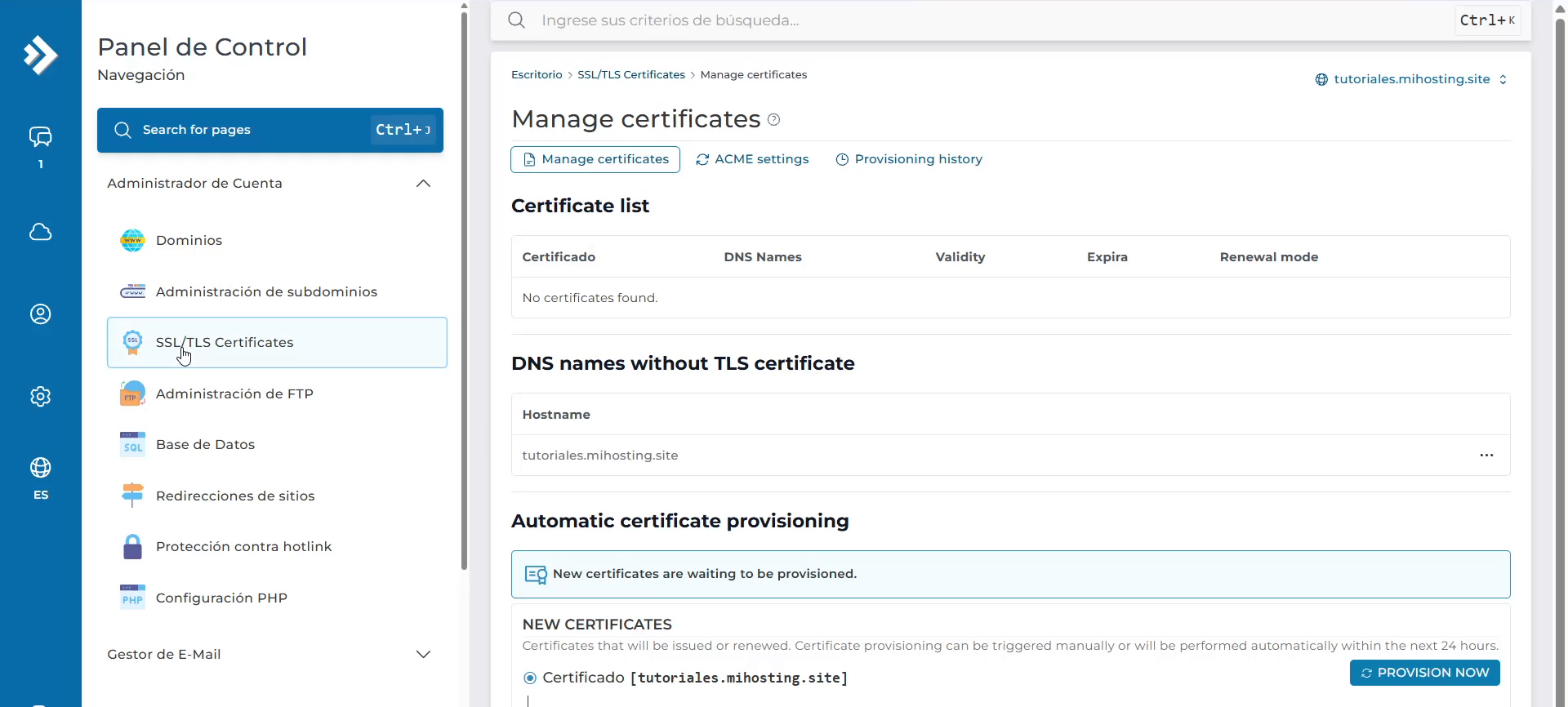
In the control panel’s side menu, open SSL/TLS Certificates. Check that the domain selector in the upper-right corner shows the correct domain.
2. Check the ACME settings
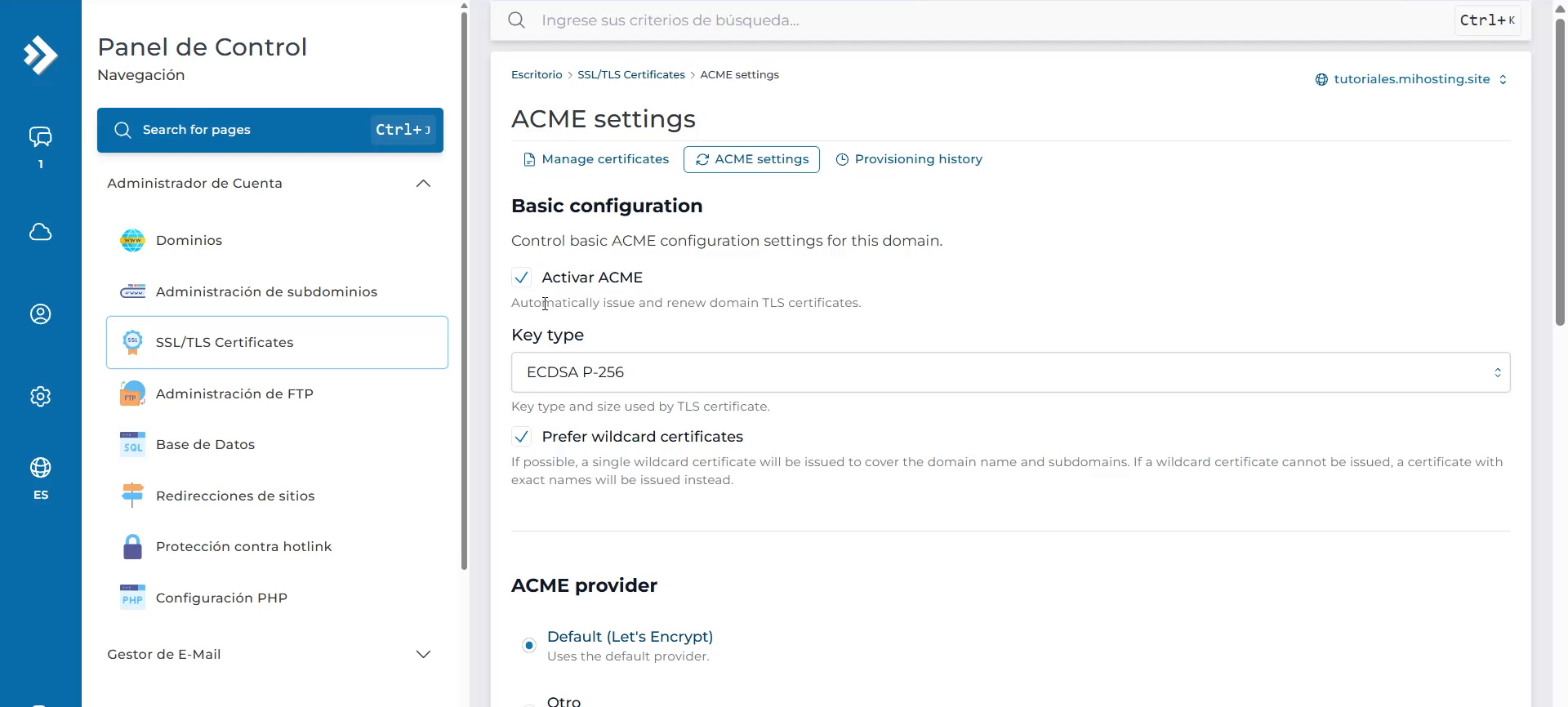
Open the ACME settings tab and make sure Enable ACME is checked. This system manages certificate issuance and renewal automatically.
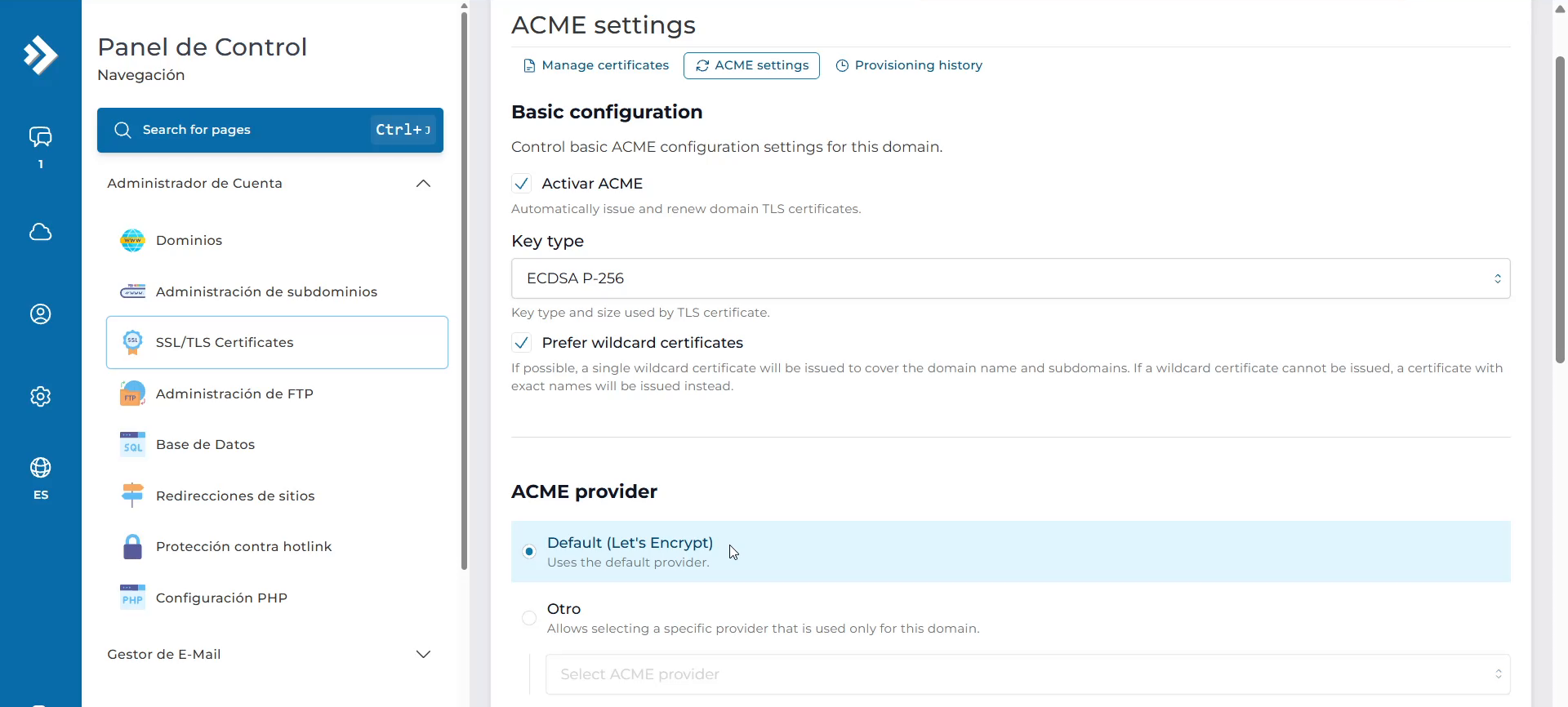
Under ACME provider, check that Default (Let’s Encrypt) is selected, as shown in the recording. If the setting is already correct, continue to the next step.
3. Request the certificate
Return to the Manage certificates tab. Under Automatic certificate provisioning, select Provision Now.
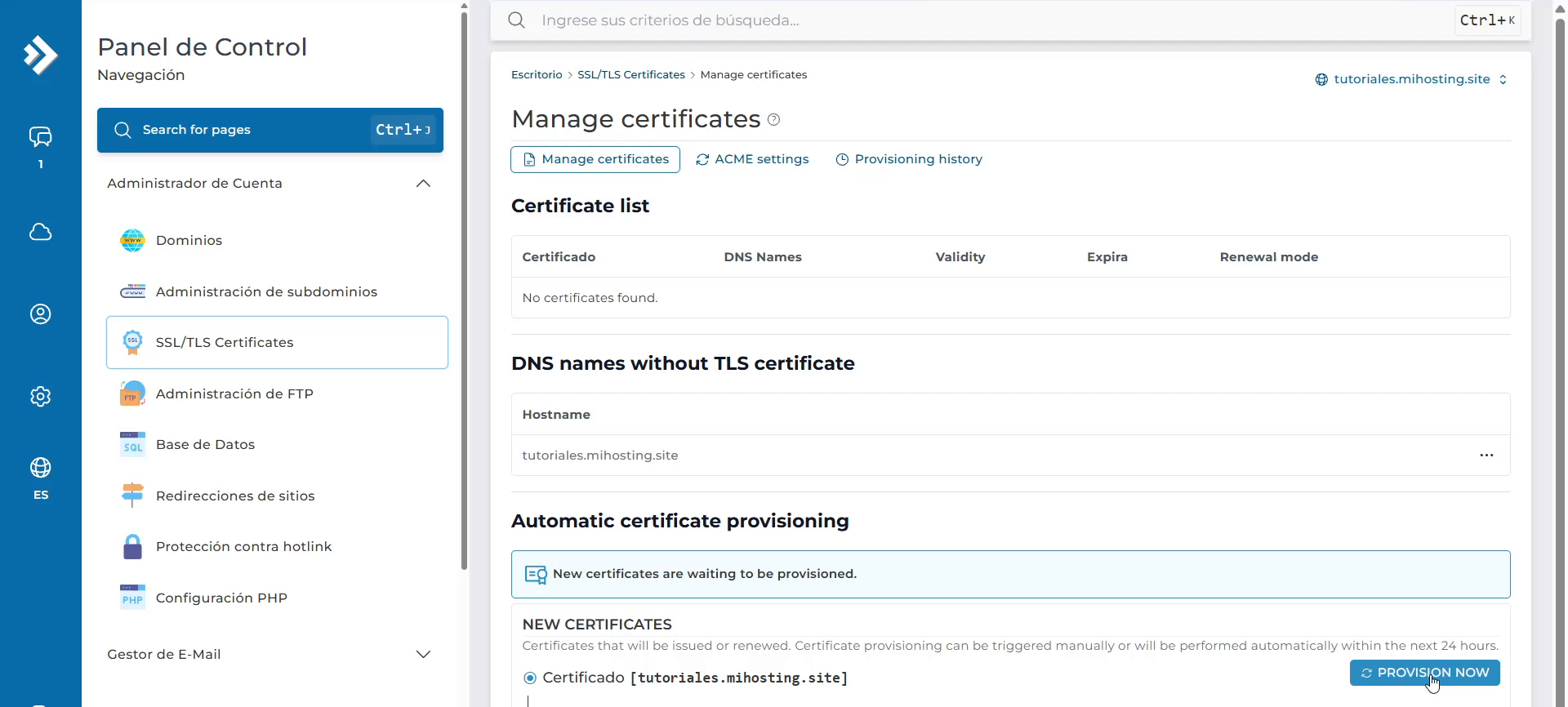
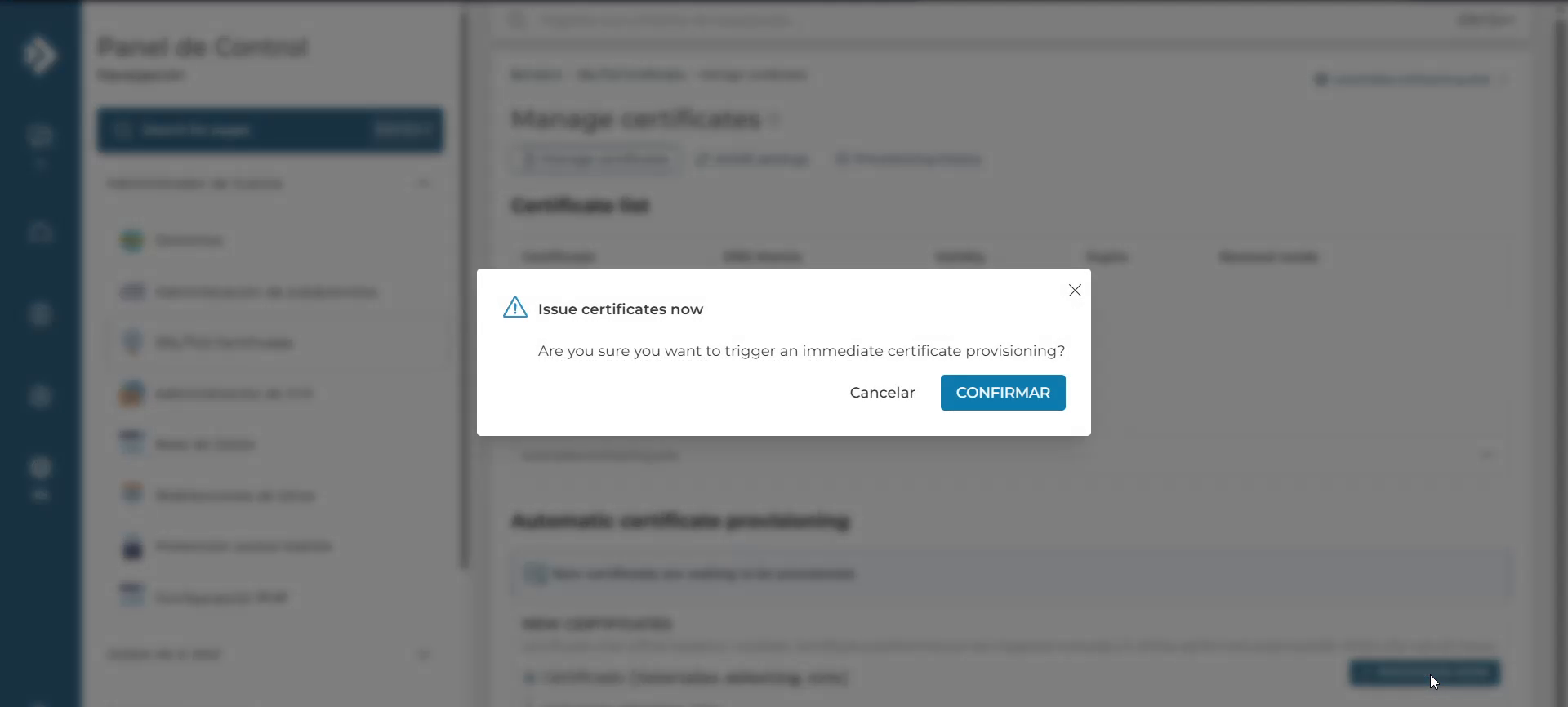
In the confirmation box, select CONFIRM to start the request.
4. Check the result
Wait for the process to finish. While the certificate is being issued, the panel displays a message that the request is in progress. The time can vary; the duration shown in the tutorial is just for that example.
When it is complete, check that the certificate status is Valid and Renewal mode is set to Automatic. The confirmation message also states that certificates will renew automatically.
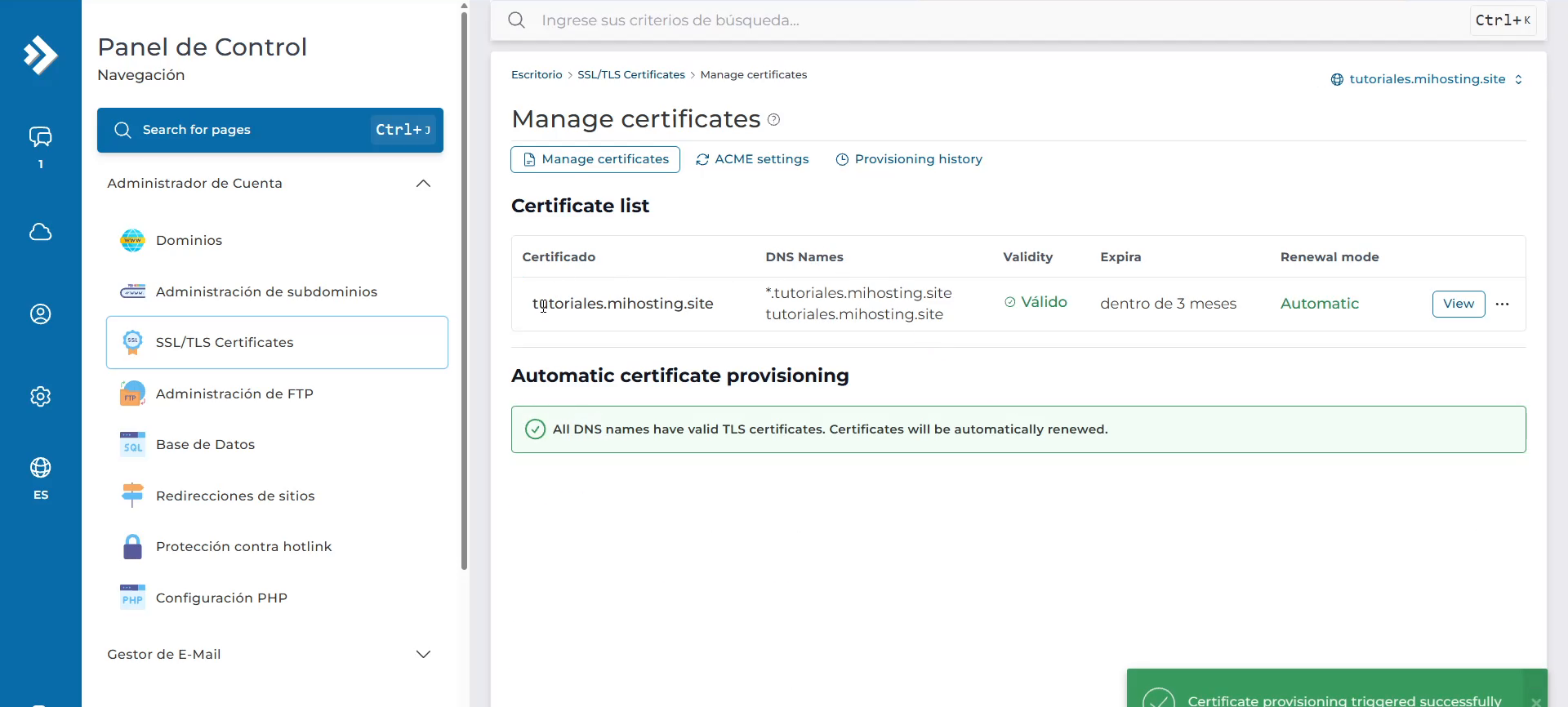
The certificate has now been issued. If you need help with your domain or the control panel shows an error, contact the miHosting team.
Reference
This procedure was prepared from a recording of the miHosting control panel. DirectAdmin also describes certificate management through ACME in its official SSL and Let’s Encrypt documentation.